


























Why does accessibility still stall at compliance checklists?
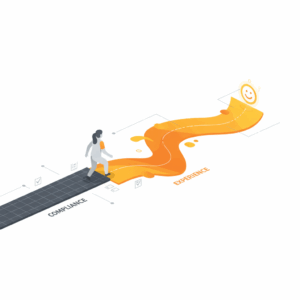
Executives approve accessibility budgets, teams ship compliant features, and customers still struggle. Compliance secures a floor, not a ceiling. WCAG conformance reduces legal exposure and systemic barriers, but it cannot guarantee task completion, customer trust, or repeat use.¹ Leaders who treat accessibility as a customer experience discipline, not only a regulatory threshold, achieve higher conversion, fewer contacts, and better brand sentiment. The path forward reframes accessibility as a measurable service outcome that spans policy, product, operations, and support.²
What is the difference between compliance and experience in accessibility?
Compliance defines minimum requirements that products and services must meet to be considered accessible. WCAG 2.2 provides testable success criteria across perceivable, operable, understandable, and robust principles.¹ Experience defines whether people can complete tasks with confidence, speed, and satisfaction in real contexts across the full journey, including support channels and edge cases. ISO 9241-210 describes this as human-centred design that delivers usability and accessibility outcomes in situ, not only in labs.³ Compliance is necessary for equity and rights. Experience is necessary for outcomes and loyalty.⁴
Where do obligations apply across jurisdictions?
Organisations face overlapping duties that define the baseline. In Australia, the Disability Discrimination Act 1992 prohibits discrimination and supports accessible services and communications.⁵ The Australian Government Digital Service Standard requires accessible services and uprates WCAG as the default benchmark for public services.⁶ In the European Union, the European Accessibility Act mandates accessibility for key products and services and extends requirements into support, user information, and procurement.⁷ In the United States, ADA Title III prohibits discrimination in places of public accommodation, and related guidance stresses digital accessibility for businesses.⁸ These frameworks create legal impetus. Customer strategy must turn that impetus into design and operational practice that customers feel.
How do you diagnose gaps between compliant and usable?
Teams often pass automated tests while failing real tasks. The WebAIM Million study shows persistent WCAG errors across homepages, but automated tools surface only a portion of barriers. Automated checks catch missing labels, contrast, and structural defects, yet they miss cognitive load, error recovery, and cross-channel friction that screen reader users and keyboard users encounter in real journeys.⁹ Effective diagnostics blend standards conformance with moderated usability sessions using assistive technologies, service blueprinting that includes contact centre flows, and analytics signals such as rage clicks, form abandonments, and escalations from chat to phone.²
What mechanisms transform obligations into experiences customers love?
Leaders operationalise accessibility with a service lens. Start with a canonical definition: accessibility means people with disabilities can perceive, operate, and understand content and controls, and can do so reliably across devices, contexts, and assistive technologies.¹ Then encode that definition into mechanisms that change daily decisions.
Embed human-centred design practices that involve people with disabilities from discovery to validation, not only at the end.³
Adopt inclusive design patterns that anticipate diversity of ability, language, and context, and ship adaptable interfaces by default.¹⁰
Expand scope from UI to service, including authentication, billing, fulfilment, and support scripts, so accessibility persists beyond the screen.⁶
Tie design tokens and component libraries to WCAG criteria and assistive tech behaviours, so implementation stays reliable under change.¹
Train customer service teams in assistive technology etiquette and reasonable accommodations, then script escalation paths that preserve privacy and dignity.⁸
How does inclusive design change product and service decisions?
Inclusive design treats disability and context as sources of insight. Diverse constraints reveal edge cases that improve the product for everyone, such as captions in noisy environments, higher contrast in sunlight, or reduced cognitive load under stress.¹⁰ Microsoft’s toolkit frames exclusion as a design fault that can be mitigated through patterns like provide alternatives, give control, and extend choices.¹⁰ When product and service teams adopt these patterns, they reduce avoidable complexity, compress task times, and increase completion rates for all customers, not only those with permanent disabilities.¹⁰
What should leaders measure to prove value beyond risk reduction?
Executives need a small, precise scorecard that links accessibility to experience and cost. Start with four families of metrics.
Compliance metrics. Track WCAG success criteria coverage at component and template levels, and audit deltas per release.¹
Usability metrics. Measure task success for assistive technology users, time on task, error rates, and post-task confidence scores.³
Journey metrics. Monitor abandonments on critical paths, assisted volume from chat or phone for known barriers, and first contact resolution for accessibility-related issues.²
Business metrics. Link improvements to conversion, average order value, and cost to serve. The W3C’s Business Case frames these returns across brand, market reach, and operational efficiency.²
Treat these as a balanced set. A pass on success criteria that coincides with high assistive-tech escalation signals a gap. A drop in escalations paired with rising task success confirms impact.
How do you build the operating model that sustains accessible experiences?
Organisations scale outcomes when they move from heroics to systems. Anchor governance in policy that references WCAG and relevant law, then make it real through accountabilities and budgets.¹ Establish clear owners for design system compliance, content standards, and assistive technology test coverage. Create a service blueprint that maps accessibility responsibilities across product, engineering, legal, procurement, and the contact centre.⁶ Bake accessibility into vendor selection using criteria from the European Accessibility Act and local procurement guidance.⁷ Fund accessibility research that includes people with disabilities, and route findings into backlog prioritisation with a service value lens.³
Which practical playbook delivers results in 90 days?
Teams can deliver visible improvements quickly by sequencing work for maximum customer and risk impact.
Prioritise the top three money-making or mission-critical journeys. Instrument them for completion, abandonment, and assisted volume.²
Fix the high-impact, low-disruption defects first, such as keyboard traps, missing form labels, and contrast, while planning remediation for deeper issues like navigation and information architecture.¹
Co-test with screen reader users on Windows and mobile, and validate across browsers and assistive technologies that reflect your traffic mix.³
Align contact centre scripts, knowledge articles, and escalation paths to the new flows, and train agents on accessible alternatives.⁸
Publish an accessibility statement that sets expectations, shares contact options, and invites feedback to sustain improvement.⁶
This playbook reduces avoidable contacts, protects brand trust, and shows momentum that unlocks further investment.²
What risks should executives anticipate and mitigate?
Risk concentrates in three areas. First, legal exposure grows with scale and public sector obligations. Organisations that ignore the European Accessibility Act timelines or ADA guidance face litigation and remediation costs.⁷ Second, reputational risk rises when marketing promises inclusion while customers encounter barriers in core journeys. Third, operational risk compounds when teams treat accessibility as a one-off project rather than a capability, which creates rework and technical debt. Leaders mitigate these risks by embedding accessibility in standards, change control, and release gates, and by funding continuous research and design system upkeep.¹
How do you turn accessibility into sustainable advantage?
Companies win when accessibility becomes part of how services compete. Accessibility expands market reach, improves search and performance outcomes, and reduces cost to serve.² It also aligns with global rights frameworks that recognise accessibility as a condition for participation in society, not a nice-to-have feature.⁴ Treating accessibility as experience transforms customer relationships and builds durable trust. Leaders who align compliance with human-centred design, inclusive operations, and measurement move accessibility from obligation to advantage.
What are the next steps for a Customer Experience and Service Transformation leader?
Leaders can act now. Set a policy that references WCAG and relevant law, and publish an accessibility statement that names owners.¹ Commission a dual-track audit that pairs standards conformance with assistive-tech usability testing.³ Stand up an inclusive research panel that compensates participants with disabilities.³ Wire accessibility into the design system, CI checks, and release criteria.¹ Train the contact centre on assistive-tech etiquette and alternative routes for core tasks.⁸ Close the loop with a quarterly scorecard that tracks journey outcomes and business impact, and report wins that matter to customers and regulators.²
FAQ
What is the practical difference between WCAG compliance and an accessible customer experience?
WCAG compliance meets testable success criteria that reduce barriers, while an accessible customer experience ensures people can complete tasks confidently and quickly across the full service journey, including support channels.¹ ³
How should a contact centre support accessibility within service transformation?
A contact centre should provide trained agents, accessible scripts, and clear escalation paths that respect privacy and enable reasonable accommodations for assistive-technology users, aligned to legal obligations such as ADA Title III and the European Accessibility Act.⁷ ⁸
Which metrics prove accessibility improves business outcomes in CX?
Track a balanced set: WCAG coverage, assistive-tech task success, journey abandonments and assisted volume, and business outcomes such as conversion and cost to serve, as framed in the W3C Business Case for Digital Accessibility.²
Why do automated accessibility tests fail to catch real-world barriers?
Automated tools detect structural issues like missing labels and contrast, but they miss cognitive load, recovery paths, and cross-channel friction that emerge in moderated sessions with assistive-technology users, as reflected in large-scale analyses such as the WebAIM Million.⁹
Which frameworks set the legal baseline for accessibility across regions?
The Australian Disability Discrimination Act 1992 and the Australian Government Digital Service Standard set expectations in Australia, the European Accessibility Act sets requirements in the EU, and ADA Title III underpins obligations in the United States.⁵ ⁶ ⁷ ⁸
What is inclusive design and how does it benefit everyone?
Inclusive design uses diverse constraints to create adaptable patterns that serve a wide range of abilities and contexts, which improves experiences for all customers by reducing unnecessary complexity and increasing control.¹⁰
Which 90-day actions create visible impact in accessibility and CX?
Prioritise critical journeys, fix high-impact defects, co-test with assistive-technology users, align contact centre scripts, and publish an accessibility statement to sustain feedback and momentum.¹ ³ ⁶ ⁸
Sources
Web Content Accessibility Guidelines (WCAG) 2.2, W3C WAI, 2023, W3C. https://www.w3.org/TR/WCAG22/
The Business Case for Digital Accessibility, WAI Resource, 2018, W3C. https://www.w3.org/WAI/business-case/
ISO 9241-210:2019 Ergonomics of human-system interaction – Human-centred design for interactive systems, 2019, ISO. https://www.iso.org/standard/77520.html
Convention on the Rights of Persons with Disabilities, United Nations, 2006, UN Treaty Collection. https://www.un.org/development/desa/disabilities/convention-on-the-rights-of-persons-with-disabilities.html
Disability Discrimination Act 1992, Australian Government, 1992, Federal Register of Legislation. https://www.legislation.gov.au/Details/C2024C00225
Digital Service Standard – Accessibility, Australian Government DTA, 2023, Digital Transformation Agency. https://www.digitalservices.gov.au/standards/digital-service-standard/12-make-your-service-accessible
Directive (EU) 2019/882 on the accessibility requirements for products and services, 2019, EUR-Lex. https://eur-lex.europa.eu/eli/dir/2019/882/oj
ADA Title III – Introduction to the ADA, 2024, ADA.gov. https://www.ada.gov/topics/title-iii/
The WebAIM Million – An annual accessibility analysis of the top 1,000,000 home pages, 2024, WebAIM. https://webaim.org/projects/million/
Inclusive Design Toolkit, 2016–2023, Microsoft Design. https://inclusive.microsoft.design/