


























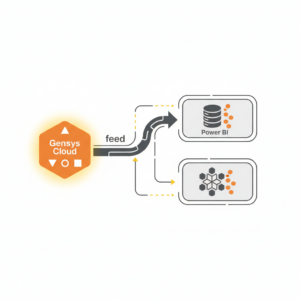
Genesys Cloud data can feed Power BI or Snowflake through three reliable patterns: API-based extraction into a warehouse, file-based export into cloud storage with automated loading, or direct Power BI connectivity to curated tables. The best choice depends on latency needs, governance maturity, and reporting scale. A warehouse-first approach usually improves data quality, auditability, and cost control for enterprise CX analytics.
Definition
What does “feeding Genesys Cloud data into Power BI or Snowflake” mean?
It means extracting operational and interaction data from Genesys Cloud, transforming it into analytics-ready tables, and serving it to BI tools through governed access. “Genesys Cloud data” typically includes conversation metadata (queues, agents, wrap-up codes, outcomes), granular segment events (talk, hold, ACW), quality management artefacts (evaluations, policies), and media-related metadata such as recordings and attachments.
In practice, the goal is not only connectivity. The goal is a repeatable data pipeline that produces stable metrics such as contact volume, handle time, service level, transfer rates, abandonment, sentiment or topic proxies, and compliance measures, with clear lineage and refresh behaviour.
Context
Why do contact centre leaders move Genesys Cloud data out of the platform?
Genesys Cloud is strong for real-time operations, but enterprise reporting needs broader context: CRM outcomes, product entitlements, customer identity, marketing attribution, and finance measures. Centralising these datasets in a warehouse allows consistent definitions across channels and business units, and supports controlled self-service access.
A second driver is retention and history. Some analytics interfaces and endpoints are optimised for recent periods, and long-range history is often better handled through warehouse storage and job-based extraction for large time windows. Genesys has documented constraints and guidance around historical querying, including recommending async approaches for older intervals.¹
Mechanism
What data should you extract from Genesys Cloud first?
Start with a minimum viable set that supports executive-level KPIs and root-cause drill-down:
Interaction grain: conversation ID, start and end times, channel, queue, agent, outcome fields
Segments: talk, hold, wrap-up, consult, transfer events
Dimensions: agent, queue, wrap-up codes, skills, routing constructs
Quality and compliance: evaluation metadata and policy context
Media metadata: recording references and export metadata where permitted
This sequencing reduces complexity. It lets you validate business definitions before adding higher-volume or higher-risk artefacts such as recordings or transcript payloads.
How do you extract and load at enterprise scale?
Use one of these ingestion patterns:
Pattern A: API extraction into Snowflake (warehouse-first ELT)
Pull analytics and operational entities using Genesys Cloud APIs, land raw payloads to object storage, then load and transform into Snowflake. For large historical pulls, use job-style async endpoints where available to avoid timeouts and improve throughput.¹ This pattern scales well because compute and storage are decoupled, and transformations can be versioned and tested.
Pattern B: File-based exports into cloud storage, then automate Snowflake loads
For recordings and associated metadata, Genesys supports bulk export integrations to an AWS S3 bucket, including policy-based automation and API-triggered exports.² Once files land, Snowflake Snowpipe can continuously ingest micro-batches with cloud event notifications.³
Pattern C: Curate in Snowflake, then serve Power BI
Power BI connects well to Snowflake for governed semantic models, including configuration options such as Entra ID-based authentication and SSO patterns in supported setups.⁴ This pattern keeps Power BI focused on modelling and decision support, not pipeline orchestration.
Comparison
Should you connect Power BI directly to Genesys Cloud, or go via Snowflake?
Direct-to-Power BI can work for small-scale dashboards or proofs of value, but it often becomes fragile when you need strong governance, high concurrency, and consistent metric definitions across the business.
Power BI direct (fastest time-to-first-dashboard)
Strengths: minimal infrastructure, quick stakeholder validation
Limits: API throttling risk, complex incremental refresh logic, weaker lineage, and harder reconciliation across datasets
Snowflake first (best for enterprise scale)
Strengths: strong access control, auditable transformations, reusable data products, and cost control through workload separation
Limits: requires a pipeline and data engineering operating model
For most enterprise contact centres, a Snowflake-first approach reduces long-term reporting risk and supports multi-source CX analytics across digital, voice, and back office.⁵
Applications
What executive decisions improve when Genesys data is integrated with BI?
When interaction data is joined to customer identity, product, and journey data, leadership can move from “what happened” to “why it happened and what to change”:
Capacity and workforce decisions: forecast accuracy, shrinkage impacts, queue-level staffing trade-offs
Service performance: service level by intent or customer tier, transfer and re-contact drivers
Experience improvement: top failure points by journey stage, agent-assist adoption effects, self-service containment outcomes
Risk and compliance: recording coverage, QA sampling effectiveness, incident patterns
A practical way to accelerate these outcomes is to treat curated CX datasets as reusable “data products” with documented definitions, ownership, and SLAs. If you want a packaged analytics layer that supports governed operational and CX reporting, Customer Science Insights can sit above your warehouse and BI stack: https://customerscience.com.au/csg-product/customer-science-insights/
Risks
What can go wrong in Genesys-to-BI data pipelines?
The main risks are not technical novelty. They are governance and correctness failures.
Privacy and cross-border handling
Interaction datasets can include personal information, and joining to CRM often increases sensitivity. In Australia, the APP Guidelines set expectations for transparent handling and cross-border considerations where applicable.⁶
Security control gaps
If you operate under APRA-regulated conditions or similar security expectations, inforols for data assets and third parties must be demonstrable. CPS 234 provides a clear benchmark for control assurance and incident resilience.⁷
Metric drift and reconciliation failure
Agents and queues change, wrap-up codes evolve, and conversation records can be updated after an end time.⁸ If you do not version definitions and reconcile totals against operational reports, executive dashboards lose credibility.
Pipeline fragility
Schema drift, API pagination changes, and refresh bottlenecks create hidden operational load. Warehouse-first designs reduce this risk by buffering raw data and controlling transformation releases.
Measurement
How do you prove the pipeline is trustworthy?
Operational trust comes from measurable controls, not dashboard aesthetics.
Data quality KPIs aligned to a standard
Adopt a data quality model such as ISO/IEC 25012 characteristics, then implement measurable checks for completeness, accuracy, consistency, and timeliness on priority tables.⁹ ¹⁰
Freshness and latency SLAs
Define target latency by use case: near-real-time for intraday operations, hourly for performance management, daily for executive trend reporting. Snowpipe supports continuous loading for micro-batches after files arrive, which can support low-latency designs when paired with event notifications.³ Power BI incremental refresh can reduce refresh load when datasets are large and time-partitioned.¹¹
Security and access evidence
Map controls to Essential Eight implementation expectations where relevant, including patching, MFA, and restricted admin privileges for data tooling.¹²
If you want an operating model that combines governed BI delivery with CX outcomes, Customer Science’s business intelligence capability is designed to run the pipeline, the model, and the adoption layer as one service: https://customerscience.com.au/solution/business-intelligence/
Next Steps
What is a pragmatic implementation plan for the first 60 to 90 days?
Week 1 to 2: Define the decision use cases
Lock the top 10 measures that executives will use. Define grains, filters, and success criteria. Document who owns each metric.
Week 3 to 6: Build the minimum viable pipeline
Land raw Genesys extracts, load into Snowflake staging, create curated fact tables at conversation and segment grains, and publish a first semantic model to Power BI. Build reconciliation checks against a reference report.
Week 7 to 12: Harden and scale
Add incremental logic, alerts, cost monitoring, and role-based access. Extend to QA artefacts and recordings metadata if needed. Introduce data contracts for new fields and change control for definitions.
Evidentiary Layer
What reference architecture works reliably?
A dependable architecture for enterprise CX analytics uses five layers:
Source layer: Genesys Cloud APIs and export integrations
Landing layer: object storage for raw payloads and files
Warehouse layer: Snowflake staging and curated schemas
**Semantic sures and dimensions for Power BI
Control layer: quality checks, access logs, and incident processes
This structure matches modern ELT thinking and reduces coupling between vendor APIs and executive reporting. It also supports “audit-ready” traceability, which becomes critical when metrics drive staffing, remuneration, or regulatory claims.
FAQ
Which Genesys Cloud datasets are most valuable for Power BI executives?
Conversation-level facts, queue and agent dimensions, wrap-up outcomes, and segment events provide most executive KPIs. Add QA and recording metadata only after definitions and reconciliation are stable.
Is Snowflake necessary if we only need dashboards?
Snowflake is not mandatory, but it usually improves governance, performance, and reuse when multiple teams need trusted definitions, high concurrency, and multi-source CX analytics.
How do we keep refresh fast in Power BI?
Partition by date and use incremental refresh policies for large models.¹¹ Ensure Snowflake tables are clustered or structured for common filters, and avoid importing unnecessarily wide tables.
How do we manage privacy risk when combining contact centre and CRM data?
Apply APP-aligned transparency and minimisation controls, restrict access by role, and document cross-border handling where applicable.⁶ Use security benchmarks like CPS 234 for control assurance in regulated contexts.⁷
What if our knowledge base and agent guidance also need to be measurable?
Treat knowledge content, deflection outcomes, and agent-assist usage as first-class metrics, and join them to interaction outcomes. A practical product for this is Knowledge Quest: https://customerscience.com.au/csg-product/knowledge-quest/
How do we know the pipeline is “good enough” to operationalise?
When reconciliation passes against operational totals, data quality thresholds are met (completeness, consistency, timeliness), and ownership for definitions and incident response is assigned.
Sources
Genesys Cloud, “Analytics Conversation Detail Endpoint API query change” (2020). https://help.mypurecloud.com/announcements/analytics-conversation-detail-endpoint-api-query-change/
Genesys Cloud, “About the AWS S3 recording bulk actions integration” (n.d.). https://help.mypurecloud.com/articles/about-the-aws-s3-recording-bulk-actions-integration/
Snowflake, “Snowpipe introduction” (n.d.). https://docs.snowflake.com/en/user-guide/data-load-snowpipe-intro
Microsoft, “Connect to Snowflake in Power BI Service” (2025). https://learn.microsoft.com/en-us/power-bi/connect-data/service-connect-snowflake
Dhaouadi, A. et al., “Data Warehousing Process Modeling from Classical ETL to ELT Design Approaches,” Data, 7(8), 113 (2022). https://www.mdpi.com/2306-5729/7/8/113
Office of the Australian Information Commissioner, “Australian Privacy ” (current). https://www.oaic.gov.au/privacy/australian-privacy-principles/australian-privacy-principles-guidelines
Australian Prudential Regulation Authority, Prudential Standard CPS 234: Information Security (2019). https://www.apra.gov.au/sites/default/files/cps_234_july_2019_for_public_release.pdf
Genesys Community, “API analytics endpoint returns different conversationEnd dates” (thread). https://community.genesys.com/discussion/api-analytics-endpoint-returns-different-conversationend-dates
ISO/IEC 25012:2008, “Data quality model” (standard overview). https://www.iso.org/standard/35736.html
Gualo, F. et al., “Data Quality Certification using ISO/IEC 25012” (2021). https://arxiv.org/pdf/2102.11527
Microsoft, “Incremental refresh and real-time data for semantic models in Power BI” (2025). https://learn.microsoft.com/en-us/power-bi/connect-data/incremental-refresh-overview
Australian Signals Directorate, “Essential Eight Maturity Model” (November 2023). https://www.cyber.gov.au/sites/default/files/2023-11/PROTECT%20-%20Essential%20Eight%20Maturity%20Model%20%28November%202023%29.pdf
NIST, “NIST Privacy Framework Version 1.0” (2020). https://nvlpubs.nist.gov/nistpubs/CSWP/NIST.CSWP.01162020.pdf